

Next.js · Web
ClassCents
A classroom economy: students earn a salary, spend at the class store and save toward goals — money skills practised every day, not taught once from a worksheet.
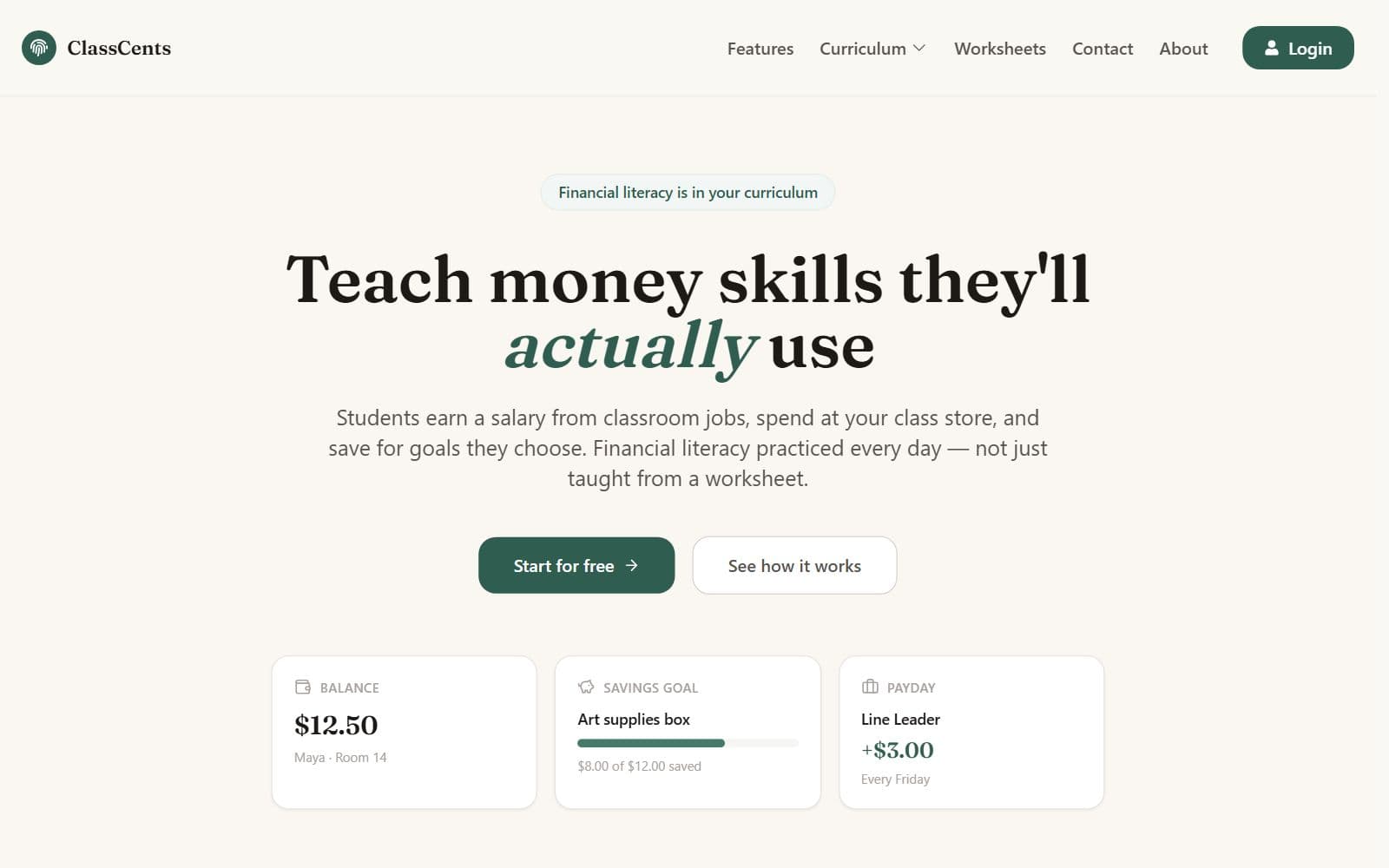
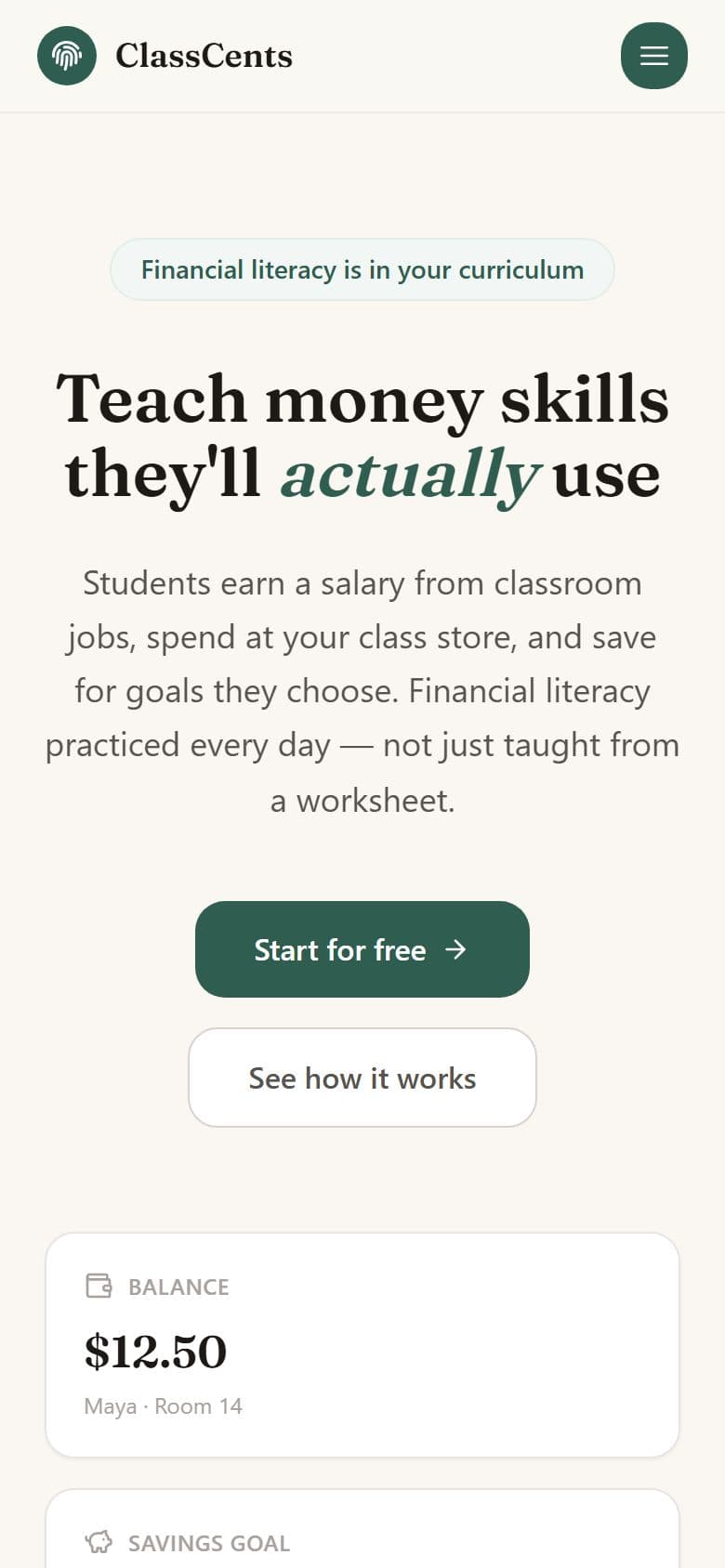
The homepage leads with what a student actually sees — a balance, a savings goal, a payday — rather than a description of the software.
Who it is for
For K–8 teachers who want financial literacy to be something students do, not just read about. It is free, needs no student email addresses, and a class can be running within one prep period.
How it works
02
Inside a classroom: the balance across the class, the average per student, who is doing well, and the last few awards with the reason attached to each.
classcents.com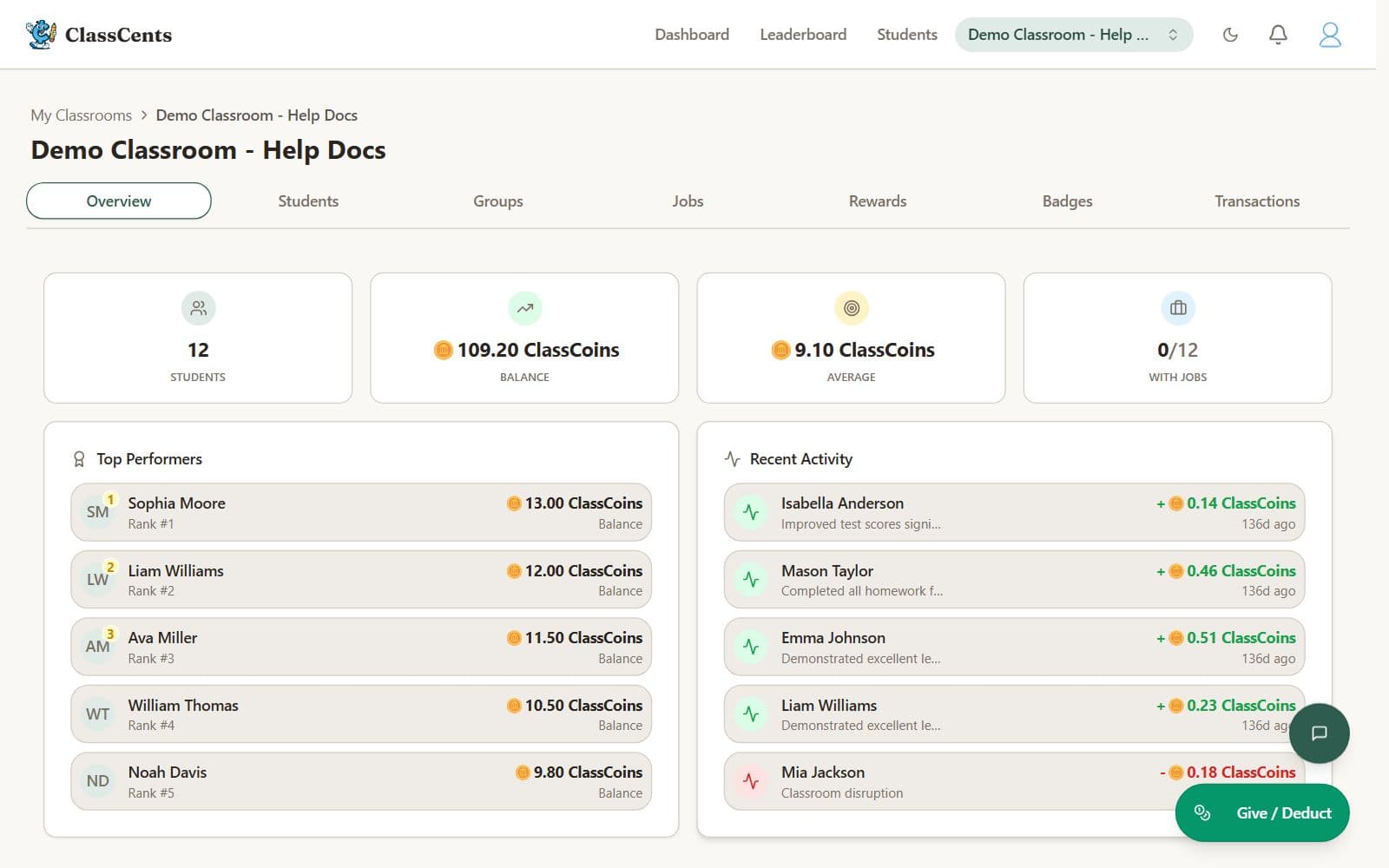
03
Jobs are the income side. Set the roles a classroom needs and what each pays, assign them, and payday pays every student at once.
classcents.com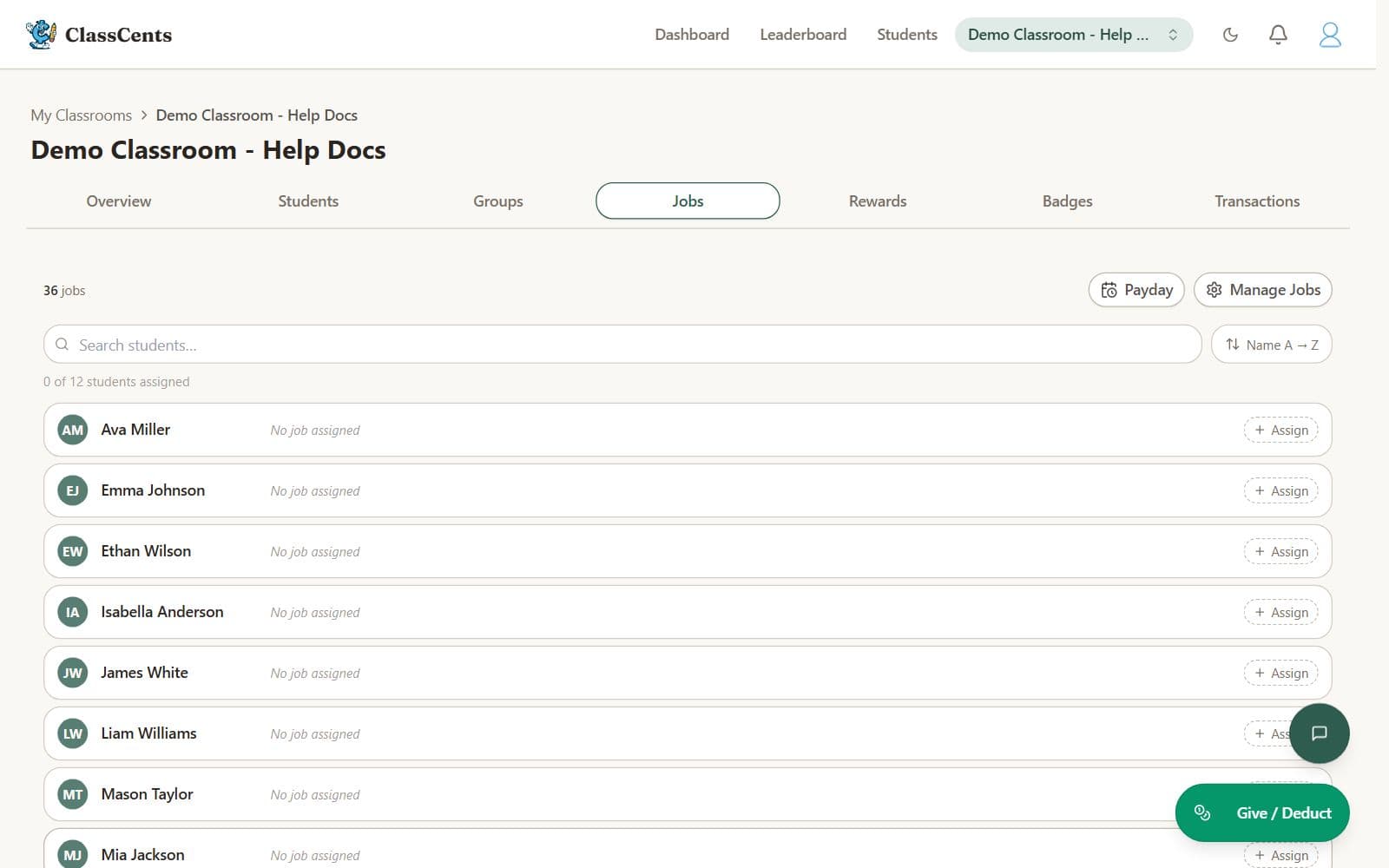
04
The store is the spending side, priced in your own currency and stocked with whatever you actually have — extra recess, a sticker pack, game time — each with a limited quantity.
classcents.com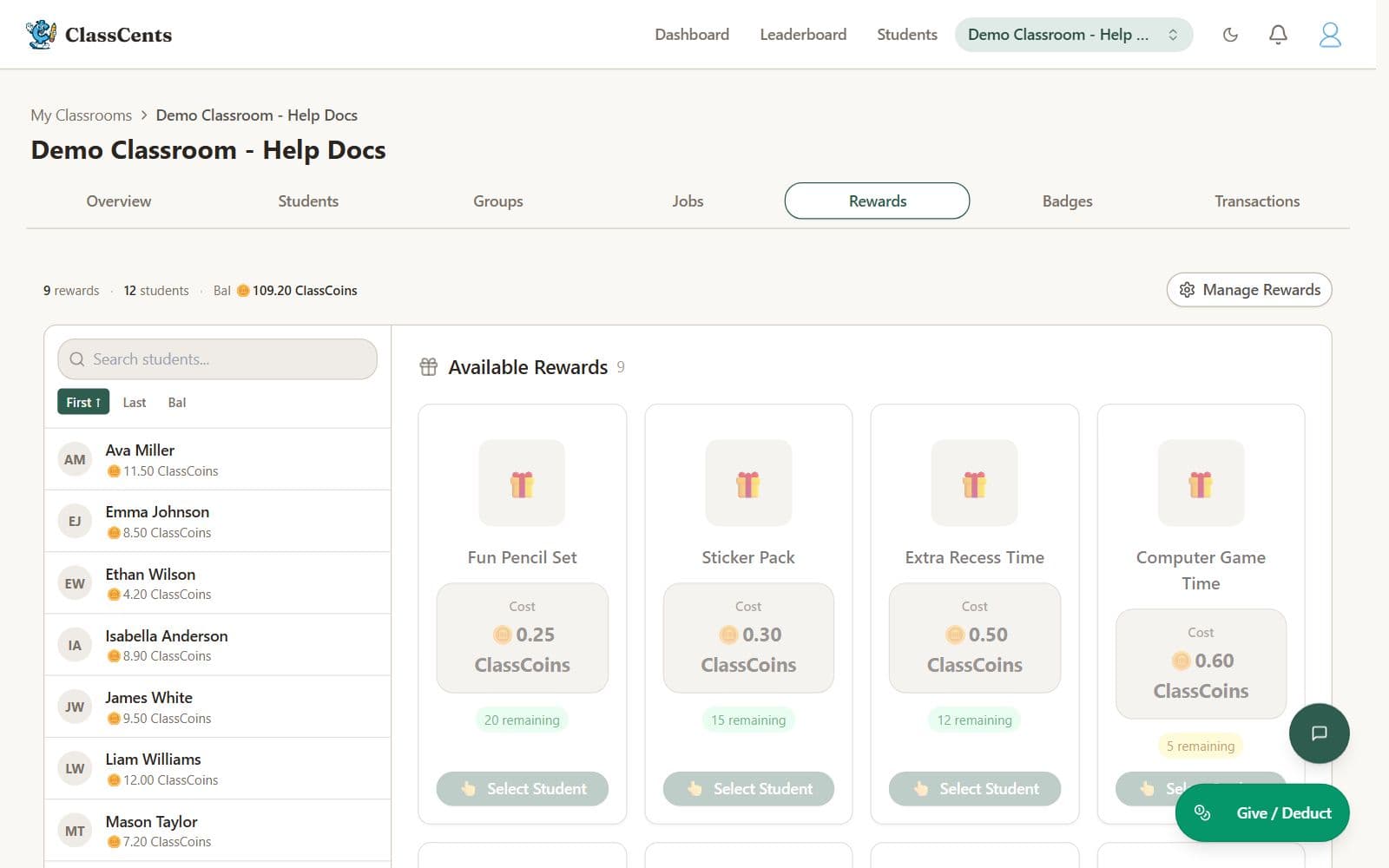
05
The roster is where the teaching happens: every student with their balance, and one tap to award or deduct with a reason. Login cards print from here.
classcents.com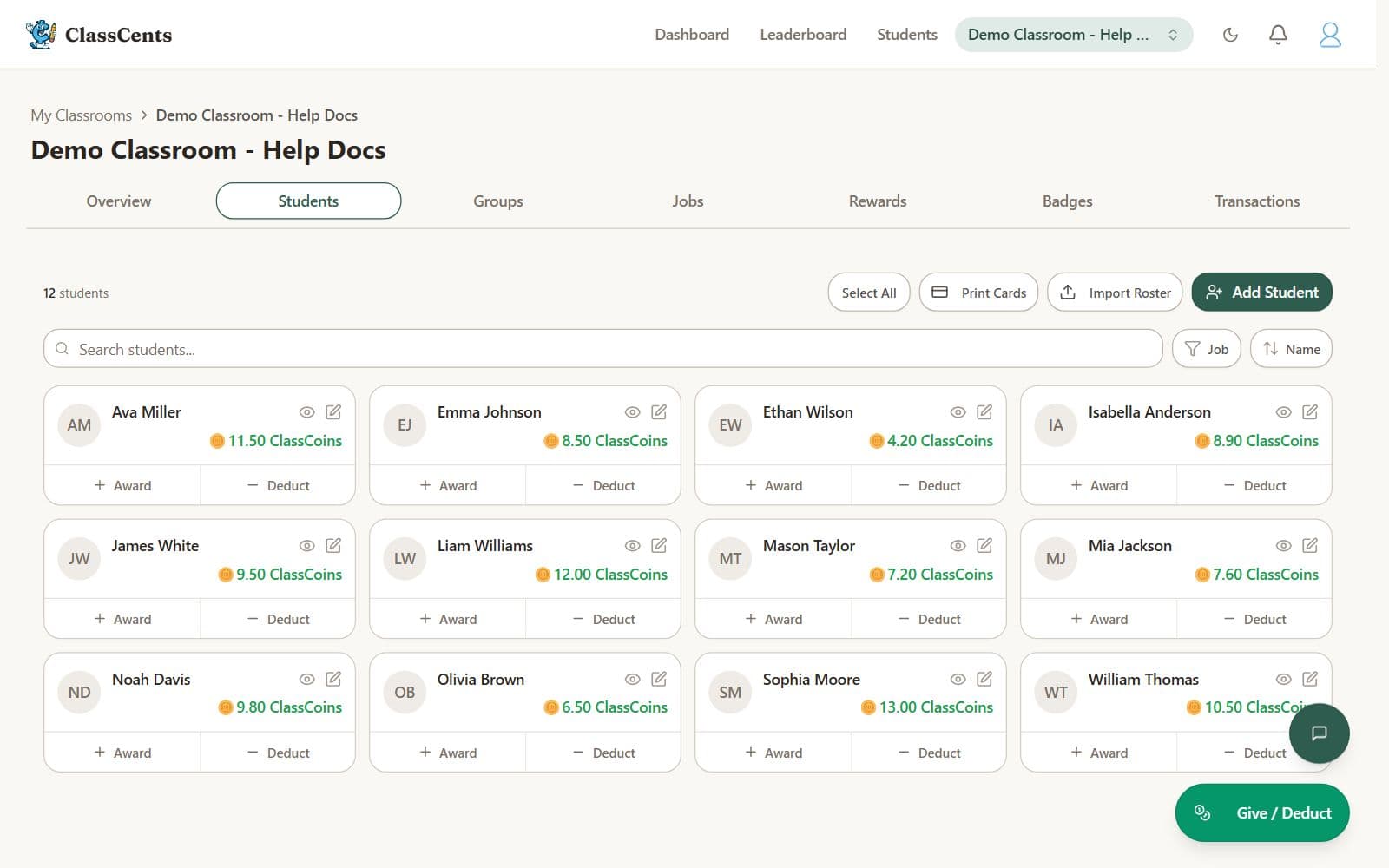
06
96 free printable worksheets for grades 1 to 8, each written at three levels — modified, standard and challenge — so one lesson reaches the whole class. Answer keys included.
classcents.com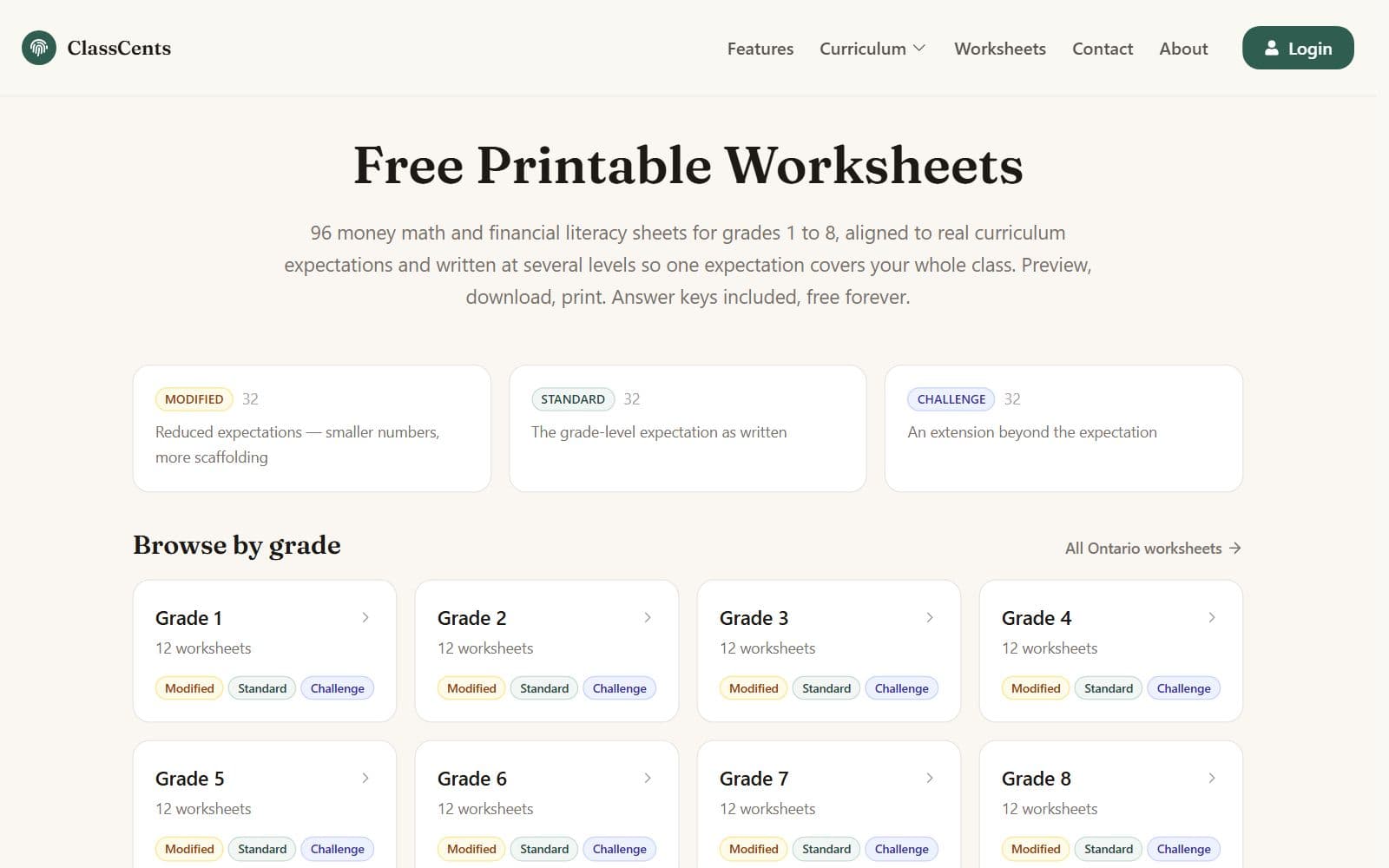
On a phone
Teachers plan on a laptop but check things between classes on a phone. The pitch, the sign-up button and a student’s balance all fit the first screen.
Good to know
- The signed-in screens above are a demo classroom, photographed in the real app — not mockups.
- Grade-by-grade notes map the classroom economy to Ontario’s 2020 financial literacy expectations, 42 of them across eight grades.
- Every feature is free for teachers. There is no paid tier to upgrade to.
How it is built
Next.js and Supabase. Students sign in with printed login cards rather than email addresses, which is what keeps it usable in schools where young students have none.
Next.js · Supabase · Tailwind
What it costs
Free for teachers
$0
Every feature is free. There is no paid tier and no upsell — the pricing page redirects to the homepage because there is nothing to sell.
- Unlimited classrooms and students
- Jobs, payroll, store and rewards
- No student email addresses required