

Flutter · Android, iOS
ClassTrack
A behaviour log for teachers that never leaves the phone: tap a student, log what happened, and see the pattern later.
Who it is for
For teachers who need a record they can take to a parent meeting or a school team meeting, without putting student information on anyone else’s server. No account, no cloud, no ads.
How it works
01
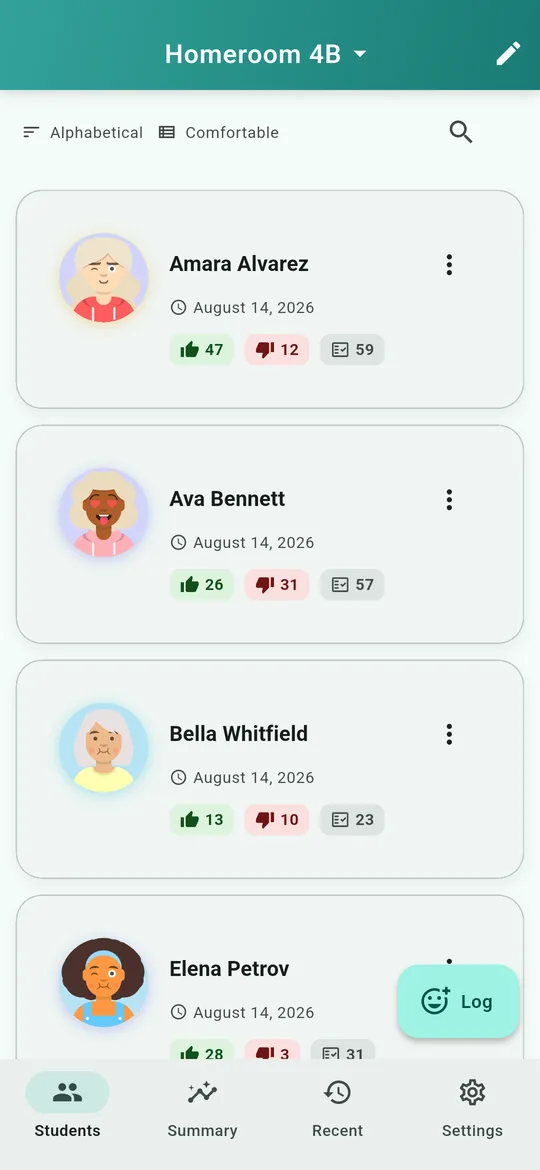
The class list keeps a running count for every student — positive, negative and total — so the balance for each child is visible at a glance.
02
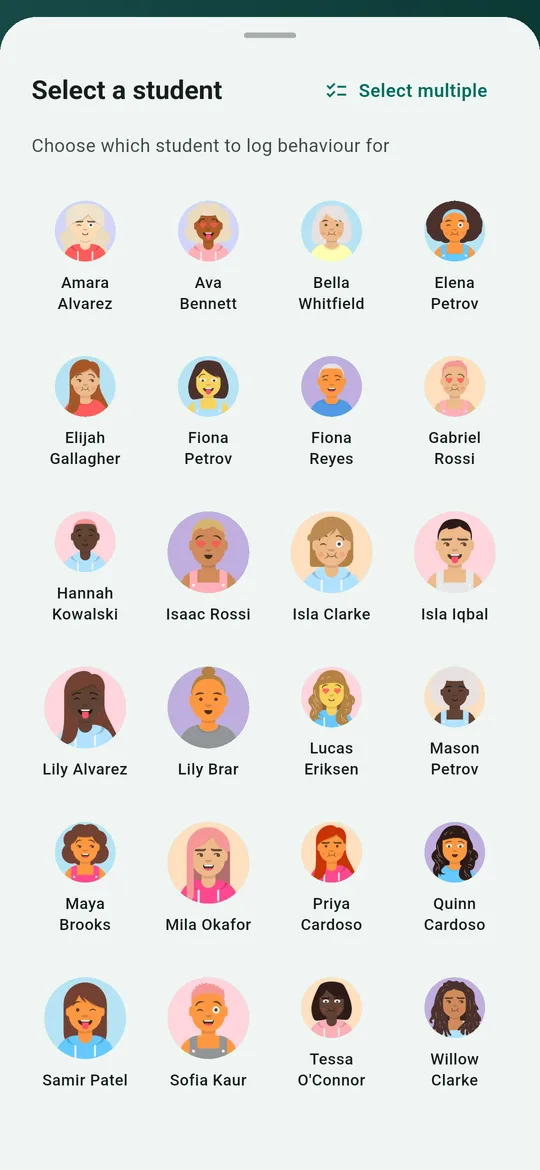
Logging starts from the student, not a form: tap them, then the behaviour. Several students can be logged at once.
03
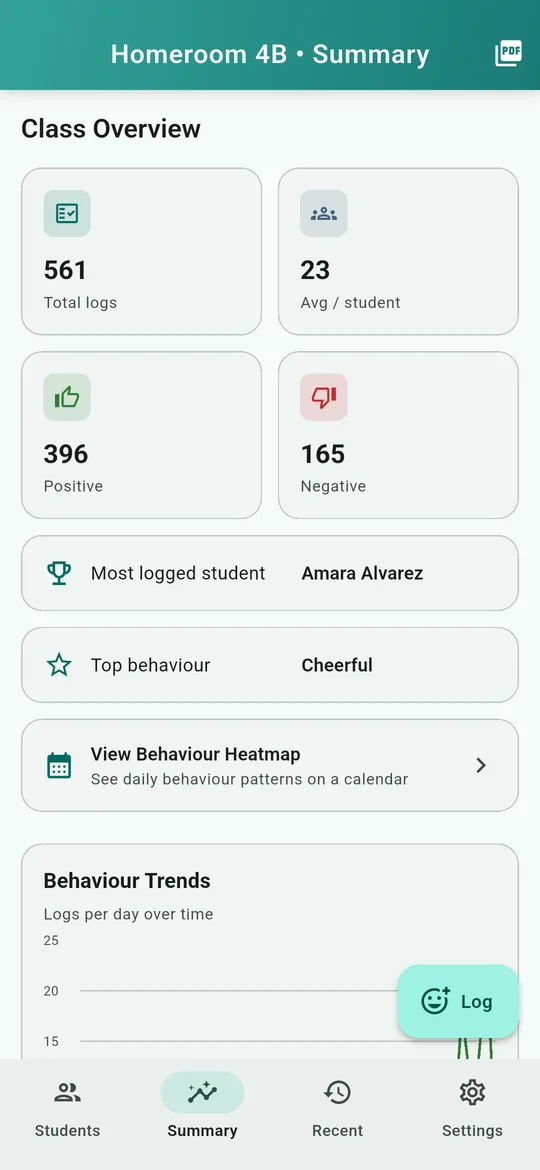
The class summary totals everything — here 561 logs, 396 of them positive — and names the most-logged student and the most common behaviour, with a trend over time.
04
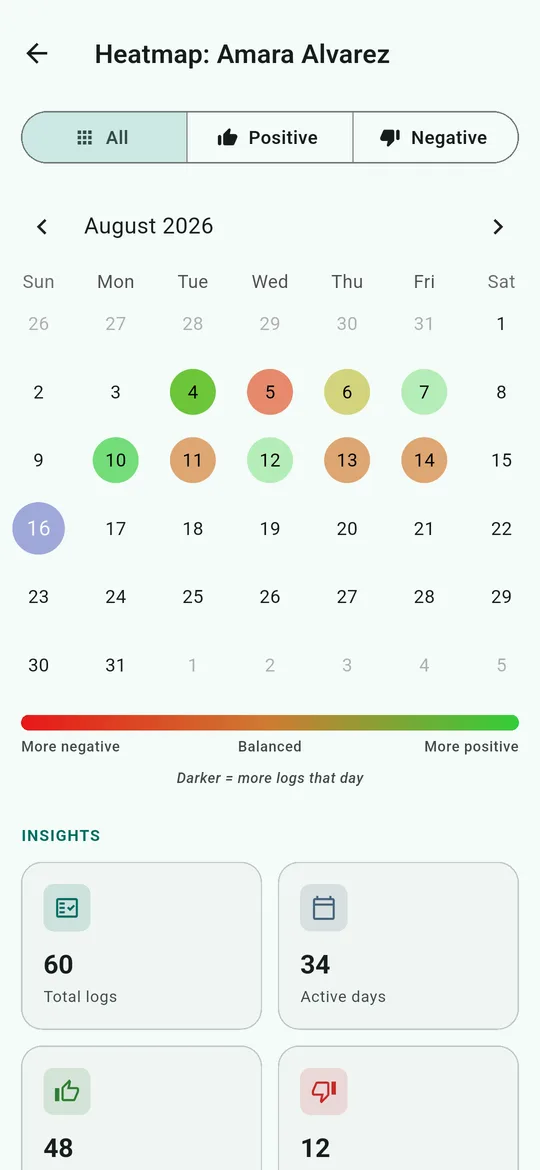
Each student gets a calendar heatmap, shaded from harder days to better ones. A pattern across the week shows up without anyone having to count.
Good to know
- Everything is stored on the device. A backup is a file the teacher exports and keeps.
- Behaviour heatmaps and custom behaviours are part of ClassTrack Plus; logging, reports and backups are free.
How it is built
Flutter, for Android and iOS from one codebase. There is no backend at all — which is the privacy guarantee, not a missing feature.
Flutter · Dart · Android · iOS
What it costs
Free, with no ads
$0
Create classes, log behaviour, export reports, and back up your data — all free, forever.
- Unlimited classes and behaviour logs
- PDF report exports
- Backup and restore
ClassTrack Plus
$4.99 CAD/month
or $29.99 CAD/year, with a 30-day free trial
Everything in the free version, plus four more:
- Behaviour heatmaps
- Charts in your PDF reports
- Your school's logo on exported reports
- Your own custom behaviour list